Billing & Payments: Invoices, Retainers, and Payments in One Place
One-click invoicing, custom retainer agreements with e-signature, flexible payment collection through Stripe, and real-time tracking with QuickBooks integration.
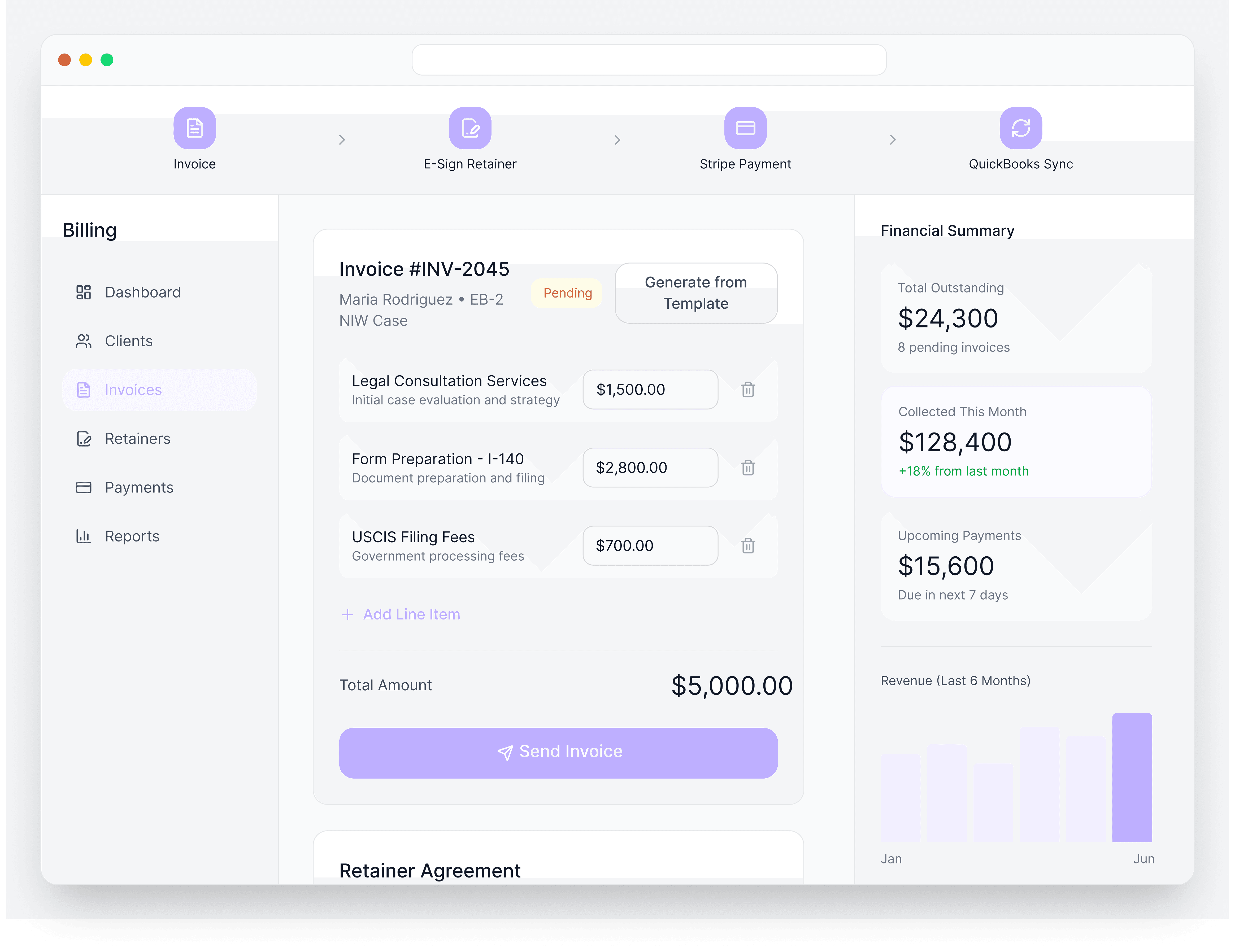
Immigration law firms juggle billing across dozens or hundreds of cases. Creating invoices, sending retainers, tracking who's paid, chasing overdue payments, and getting data into your accounting system takes hours every week. Separate tools for billing, e-signature, and payments mean more logins, more manual work, and more things falling through the cracks.
LegalBridge brings billing into your case management workflow. Create invoices with one click, send retainers with built-in e-signature, collect payments through Stripe, and sync everything to QuickBooks.
Problem
How It Works
Create
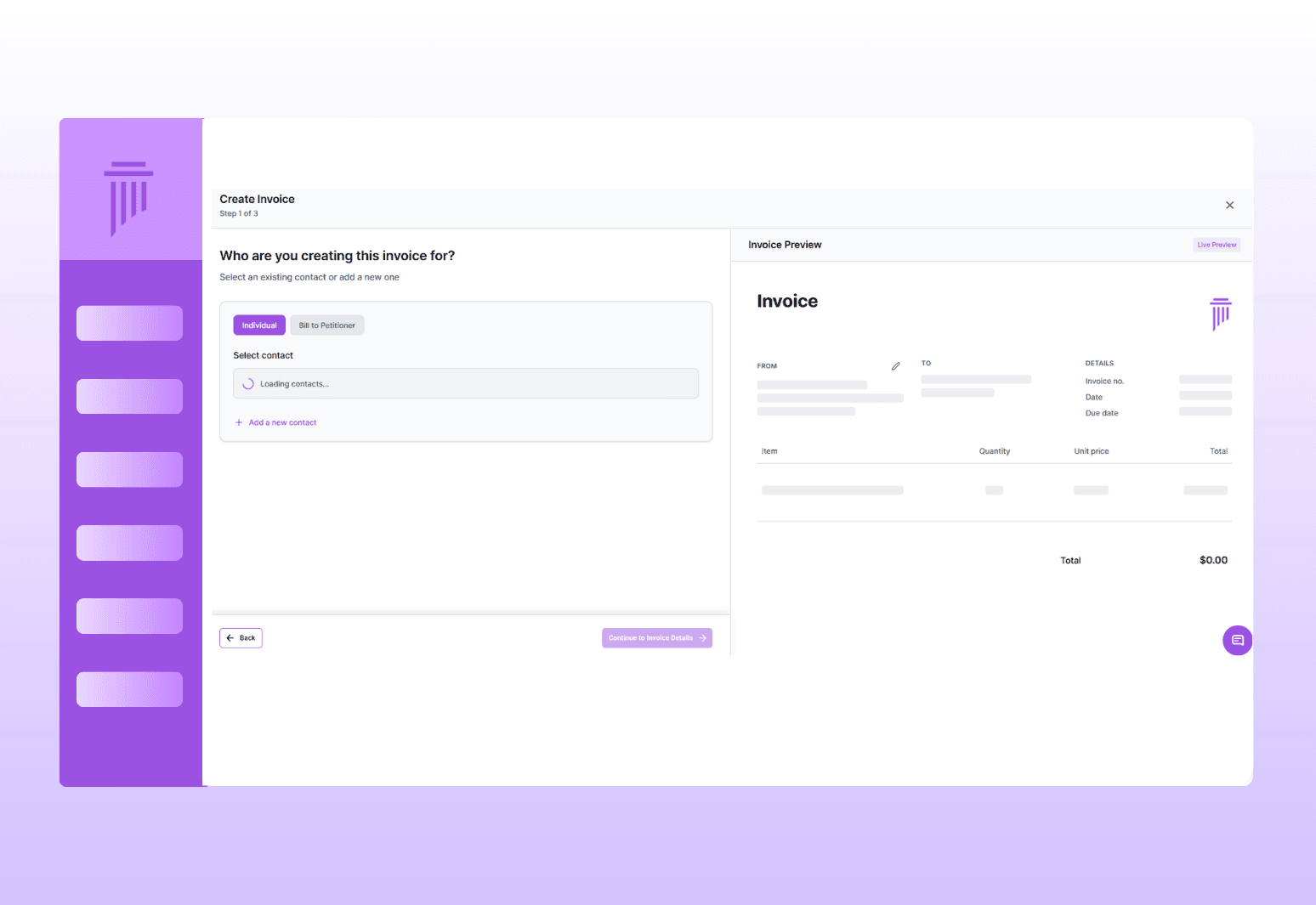
Generate an invoice or retainer with one click from the case or billing dashboard

Send
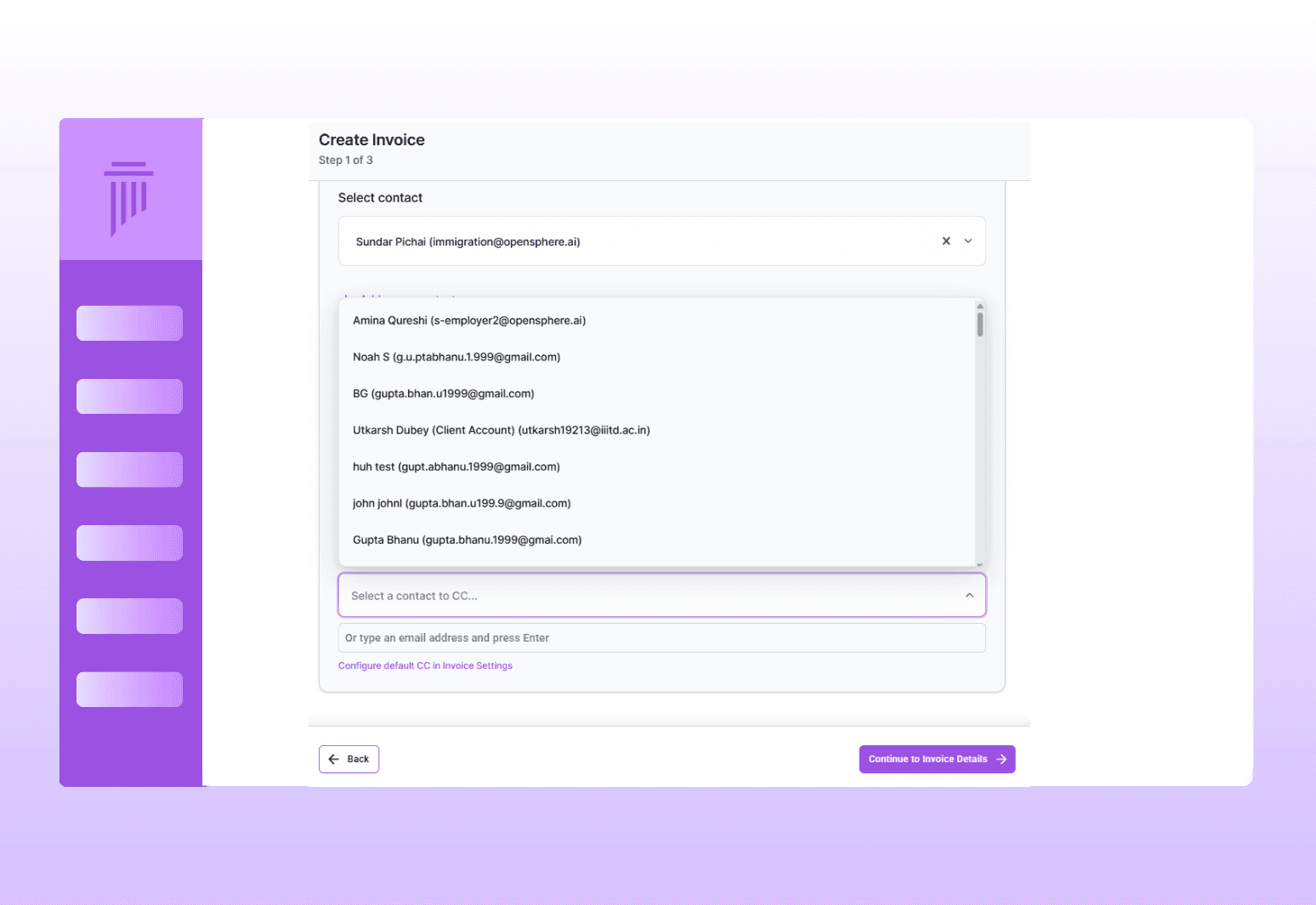
Email invoices and payment links directly to clients; copy yourself and team

Collect
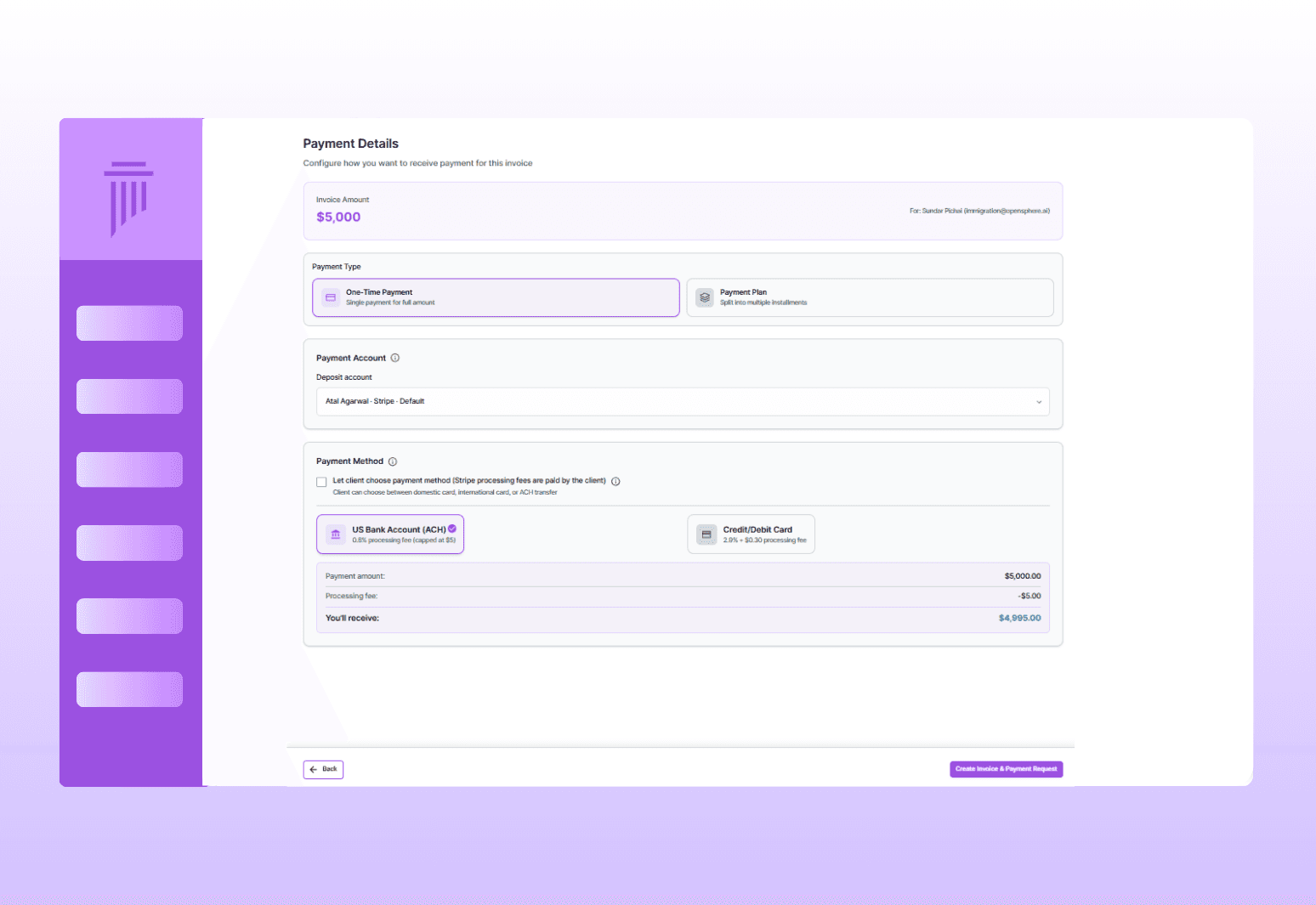
Clients pay via Stripe, bank transfer, or Zelle; platform updates automatically

Track
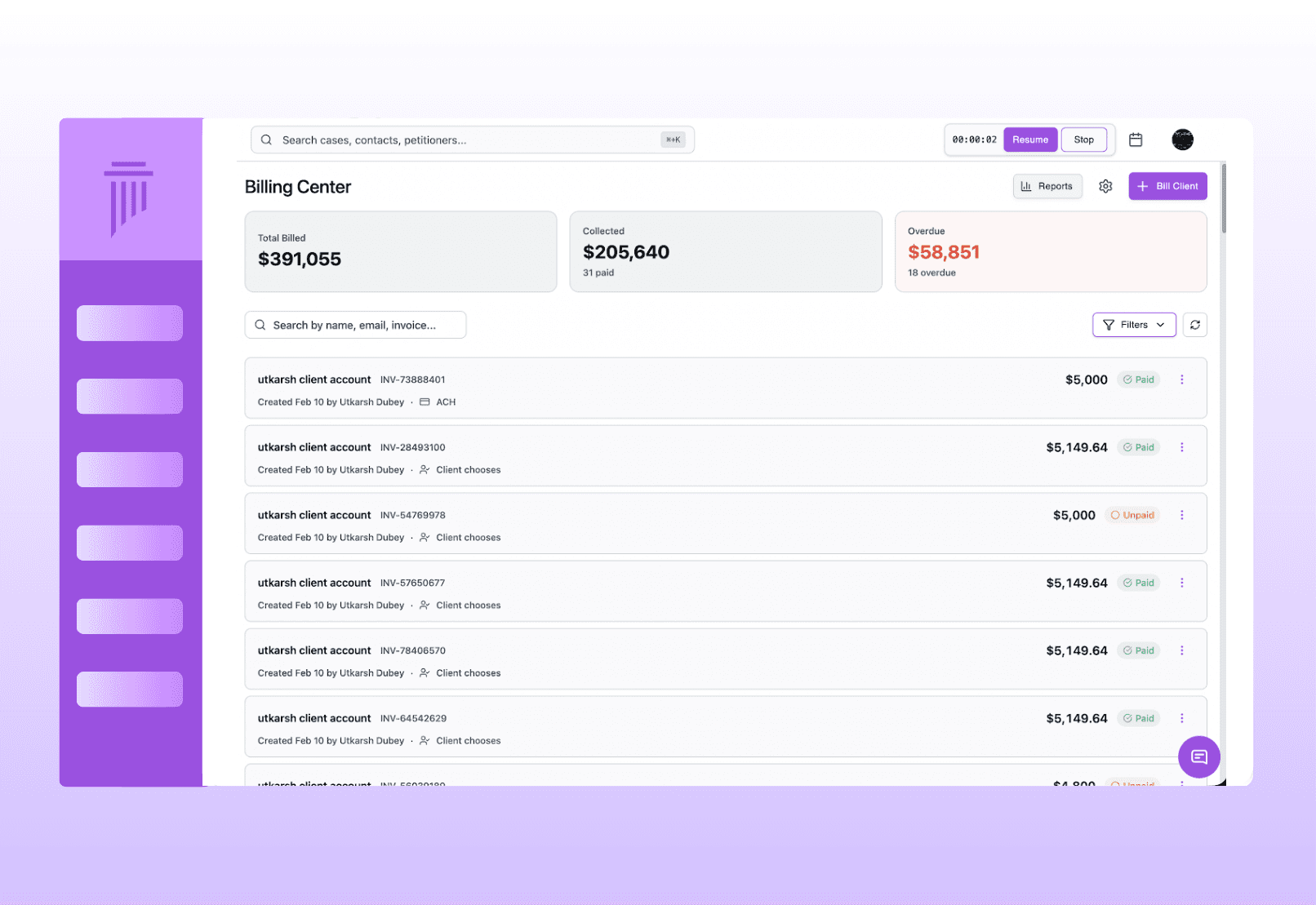
See who's paid, who's overdue, and outstanding balances; sync to QuickBooks
Invoicing & Payment Collection
Generate invoices in one click, create e-signable retainers, and collect payments flexibly through Stripe with shareable payment links.
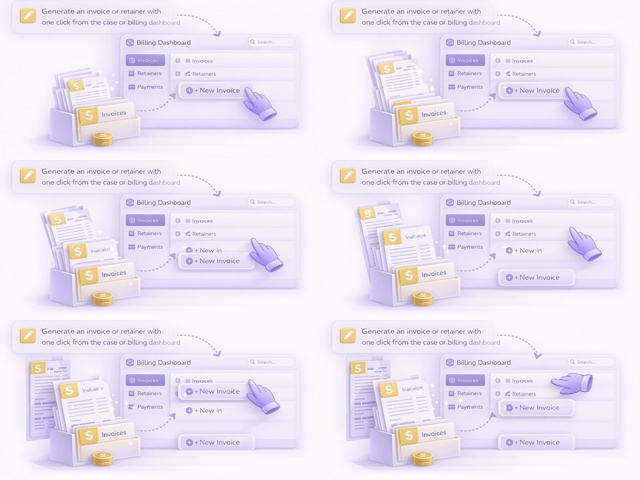
One-Click Invoicing
Flexible Billing Models
Customizable Invoices
Retainer Generation with E-Signature
Flexible Payment Collection
Payment Links
0%
0%
Faster Results
18%
18%
Client Satisfaction
10+
10+
Law Firm's Trust
Payment Plans & Recurring Payments
Not every client pays in full upfront. Set up payment schedules that work for your practice.
Options
Partial payments: Accept payments in installments
Recurring payments: Set up automatic recurring charges
Custom schedules: Define exactly how and when clients pay
Balance tracking: Always know what's been paid vs. what's outstanding
Financial Dashboard
Payment Tracking & Reporting
QuickBooks Integration
Tracking & Accounting
Set up payment plans, track payments in real-time, view financial insights on your dashboard, and sync seamlessly with QuickBooks.
Connects to Your Entire Workflow
Billing is connected to your cases, clients, and operational data.
Connects To | How |
|---|---|
Cases | Create invoices tied to specific applications |
Client Profiles | Client information auto-fills into invoices and retainers |
Intake | Retainers sent during intake flow with e-signature |
Reporting | Payment data feeds into weekly check-in reports |
QuickBooks | Automatic sync for accounting and tax purposes |
Why LegalBridge?
Without LegalBridge
Creating invoices in separate billing software
Paying for DocuSign for retainer signatures
Juggling Stripe, bank transfers, and Zelle separately
Manually tracking who's paid in spreadsheets
Entering billing data into QuickBooks manually
One-click invoicing from any case
Built-in e-signature included
All payment methods in one platform
Real-time payment status and outstanding balances
Automatic QuickBooks sync
Security & Compliance

SOC 2 In Progress
Type I and Type II certification in progress

Data encryption
All data encrypted on AWS servers

Expert insights
Available for law firms to enable for their team
FAQs
We’ve Got the Answers You’re Looking For
Quick answers to your questions.