Forms & Auto-Fill: Every USCIS Form, Filled in Minutes
99.9% coverage of all USCIS forms with intelligent auto-fill from questionnaires. Direct e-filing integration with USCIS.
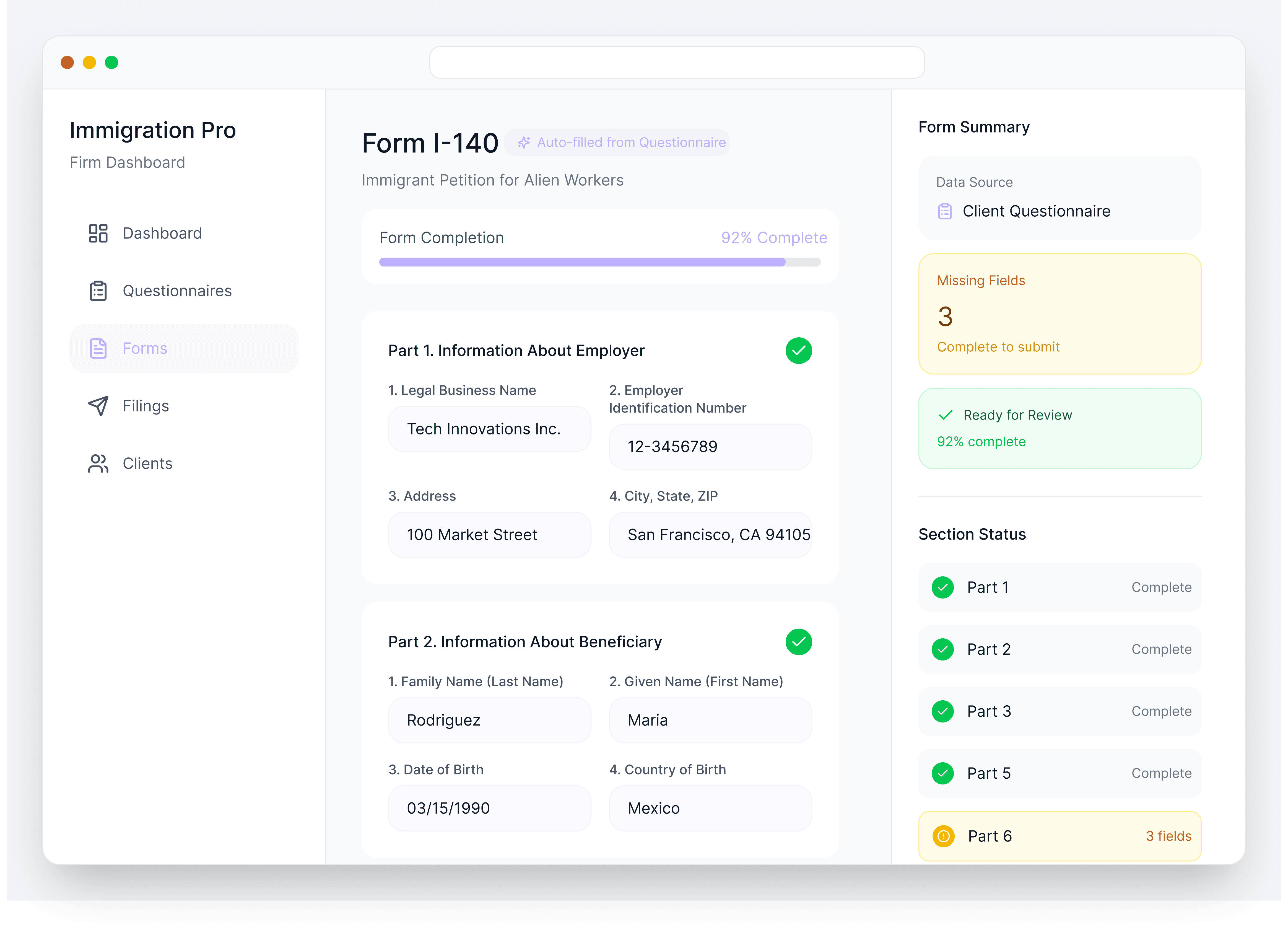
Immigration forms are tedious. Hundreds of fields, repetitive data entry, and the constant worry that USCIS just released a new version that invalidates everything you've done. Then there's the back-and-forth of getting signatures from clients who are overseas or hard to reach.
LegalBridge eliminates the drudgery. Questionnaire answers flow directly into forms. Attorney information auto-populates. And when USCIS updates a form, we have the new version ready within 48 hours.
Problem
How It Works

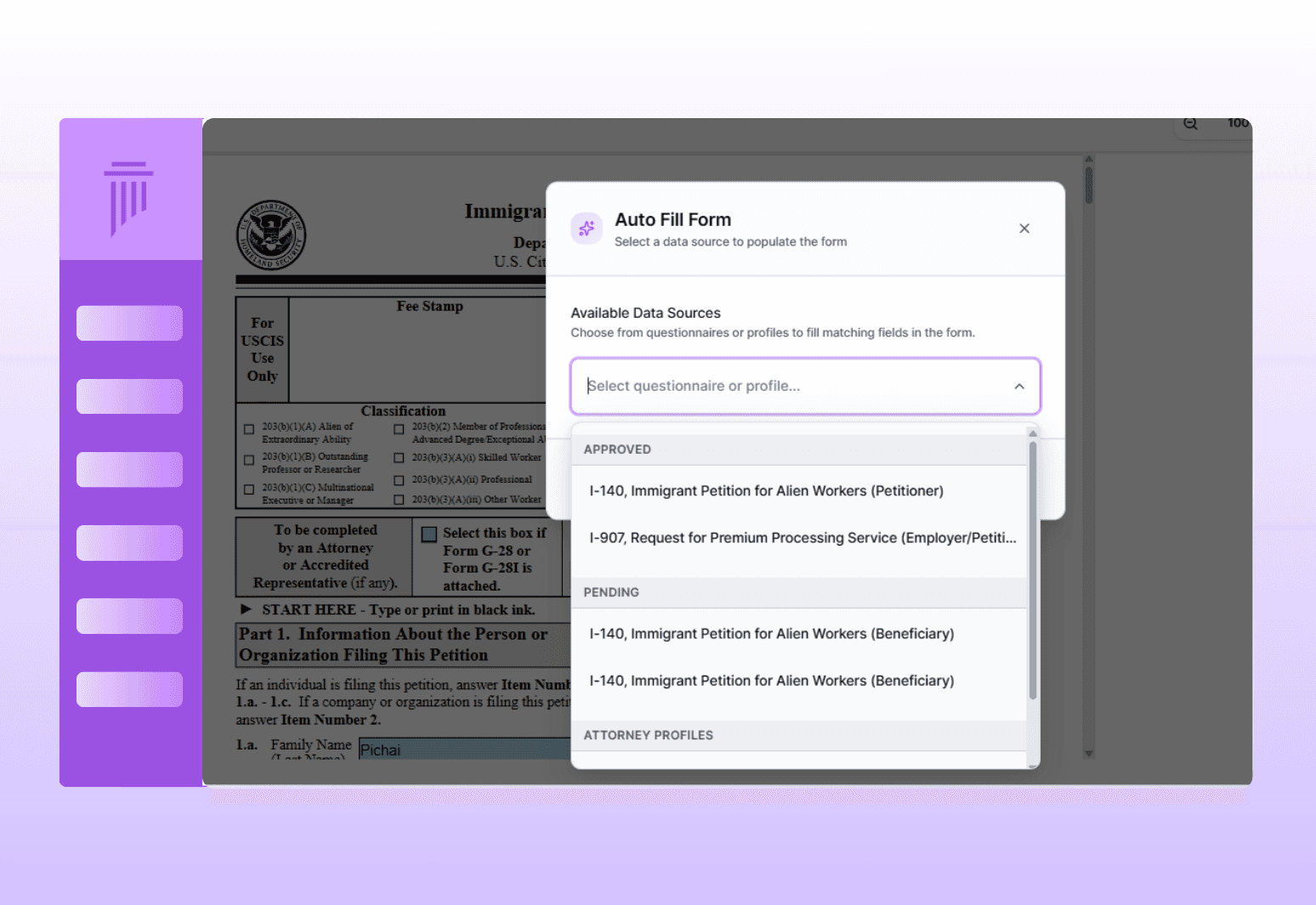
Auto-Fill
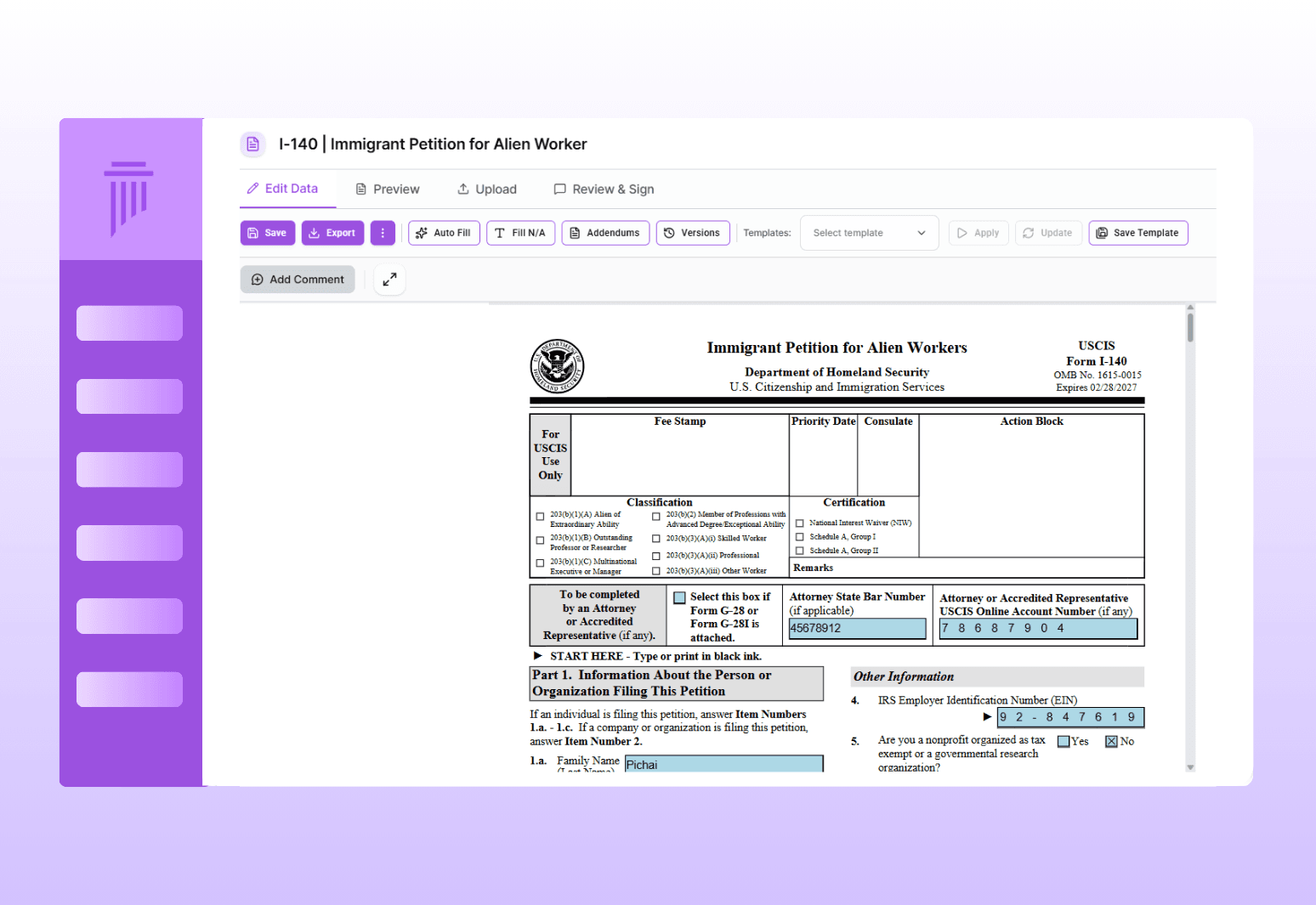
Select a form and it populates automatically from questionnaire answers and attorney profile
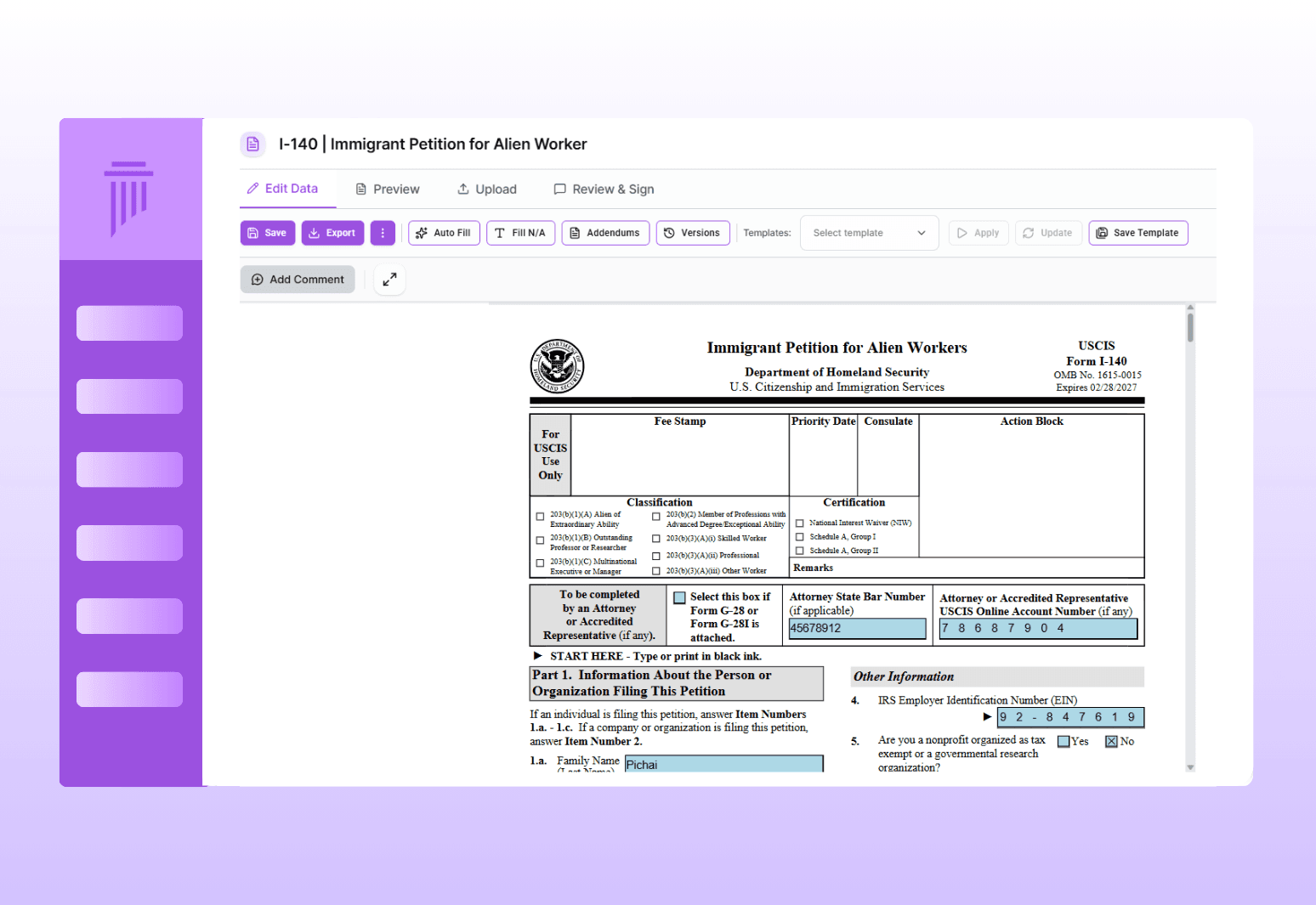

Review
Attorney reviews the form; request stakeholder reviews for confirmation

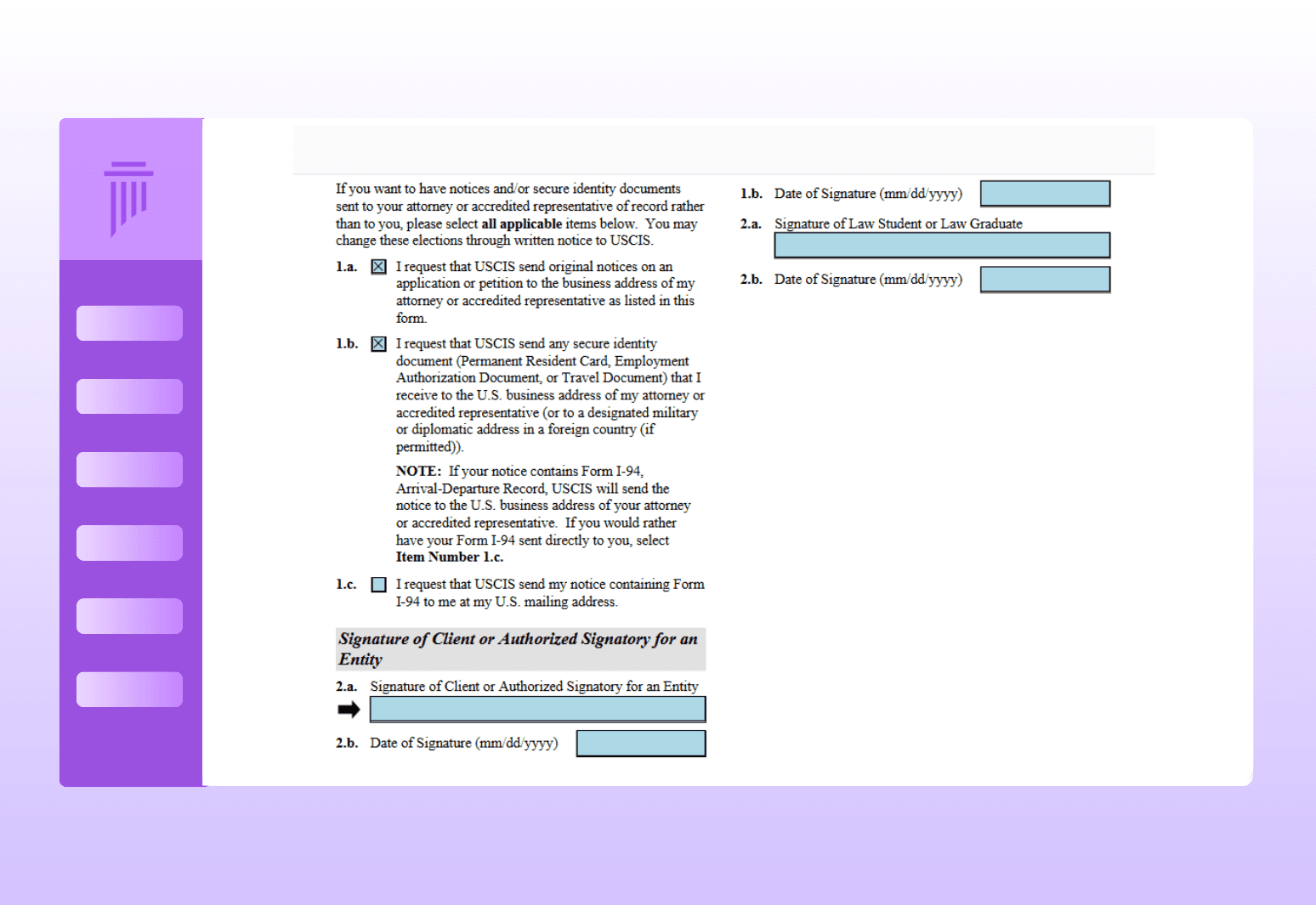
Sign
Send signature requests for specific pages; signed pages auto-merge back into the form

File
Export as PDF for paper filing, or e-file directly to USCIS from the platform
Smart Form Filling &
E-Filing
Auto-fill USCIS forms from questionnaires, review with stakeholders, and e-file directly with forms updated within 48 hours of any USCIS changes.
Comprehensive Form Coverage
Intelligent Auto-Fill
48-Hour Form Updates
Full Editing Control
Stakeholder Review
Direct E-Filing Integration
0%
0%
Faster Results
18%
18%
Client Satisfaction
10+
10+
Law Firm's Trust
Multi-Form Case Management
Most cases require multiple forms. LegalBridge keeps them organized together.
Key Capabilities
Unified view: See all forms for a case in one place
Derivative grouping: Forms for derivative spouses and children are grouped with the primary application
Consistent data: All forms pull from the same questionnaire answers, ensuring consistency across the case
Export Options
Signature Collection
Rapid Issue Resolution
Form Management & Completion
Manage multiple forms per case in one place, collect signatures, export completed forms, and resolve issues quickly.
Connects to Your Entire Workflow
Forms are the output of everything you've collected and prepared.
Connects To | How |
|---|---|
Questionnaires | Client answers populate form fields automatically |
Client Portal | Clients review forms and complete signatures through their portal |
Attorney Profile | Attorney details auto-populate on every form |
Case Assembly | Completed forms flow into the final filing package |
Why LegalBridge?
Without LegalBridge
Manually typing the same data into every form
Worrying about outdated form versions
Downloading data to upload to USCIS separately
Mailing forms overseas for signatures
Managing forms for derivatives in separate folders
99% of fields auto-fill from questionnaires
Forms updated within 48 hours of USCIS release
Direct e-filing integration with USCIS and DOL
Page-specific signature requests with auto-merge
All case forms organized together in one view
Security & Compliance

SOC 2 In Progress
Type I and Type II certification in progress

Data encryption
All data encrypted on AWS servers

Expert insights
Available for law firms to enable for their team
FAQs
We’ve Got the Answers You’re Looking For
Quick answers to your questions.