Case Assembly & Filing: From 100+ Documents to One Filing-Ready Package

Case Assembly & Filing: From 100+ Documents to One Filing-Ready Package

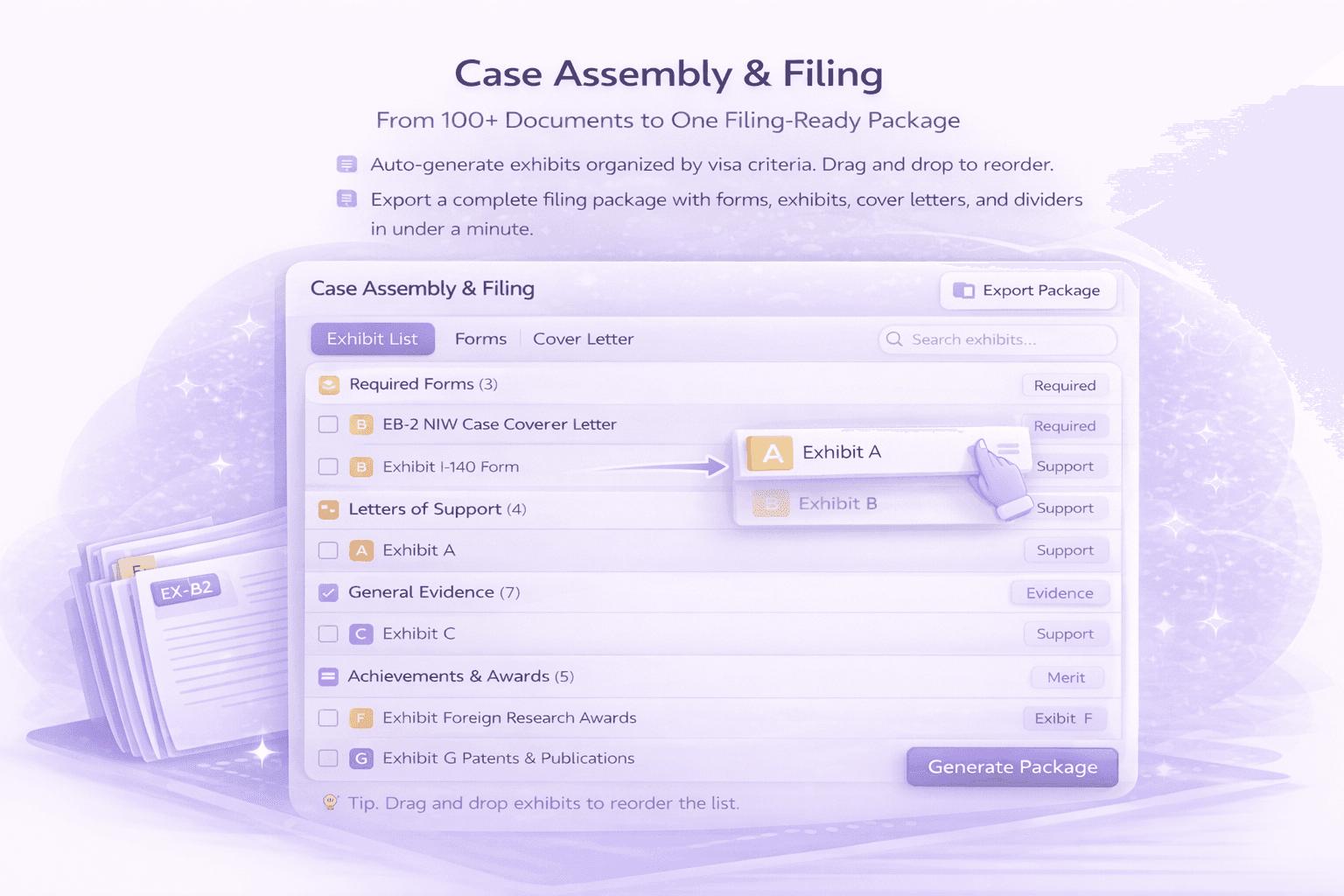
Auto-generate exhibits organized by visa criteria. Drag and drop to reorder. Export a complete filing package in under a minute
Problem

Immigration applications can have hundreds of documents. Organizing them into exhibits, creating the exhibit list, making sure everything is in the right order, adding dividers, merging signed pages it's tedious work that eats up hours before you can even file.

LegalBridge assembles your case automatically. One click generates exhibits organized by visa criteria. Drag and drop to reorder. Export a complete, filing-ready PDF package with everything in place.

How It Works
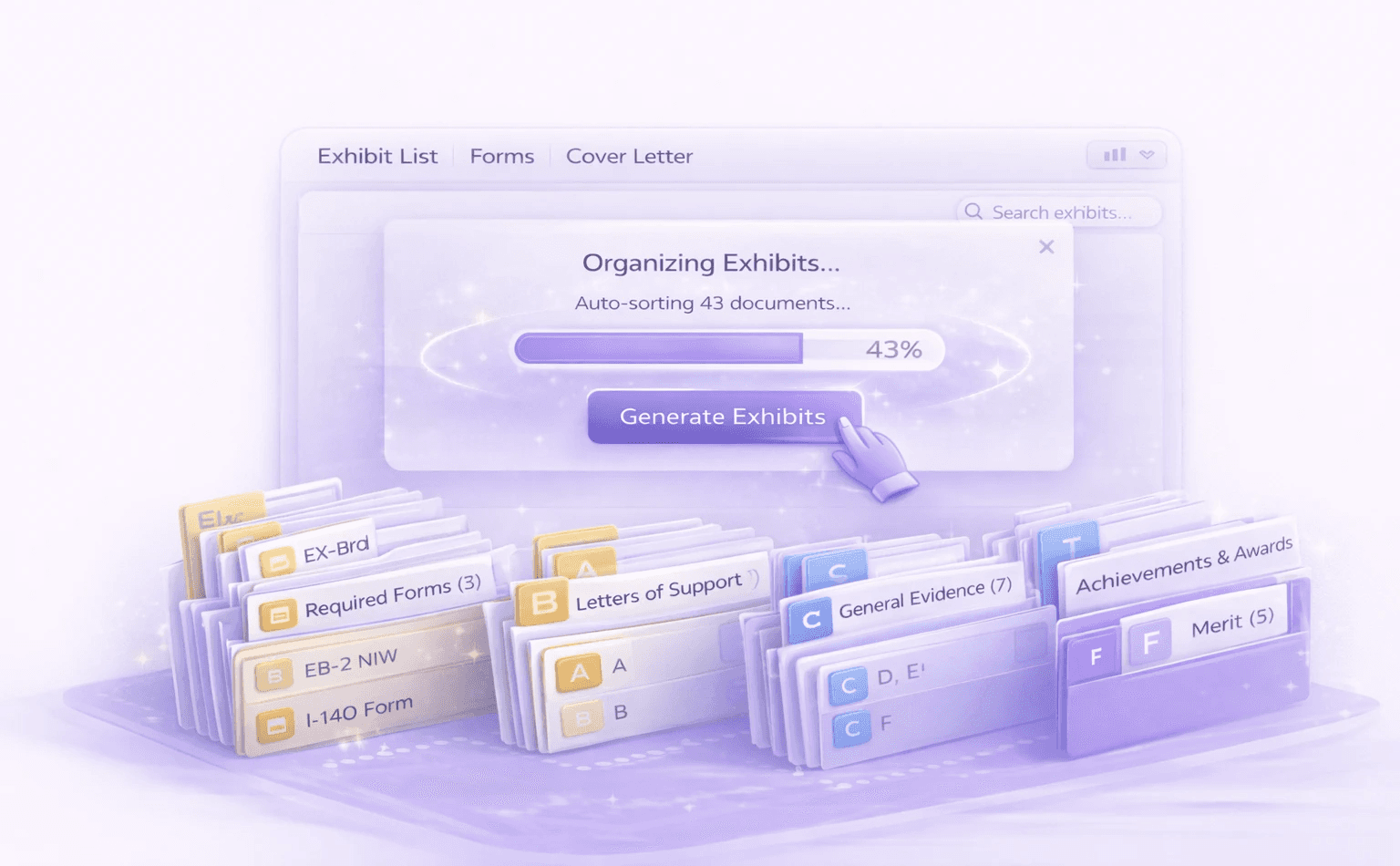
Generate

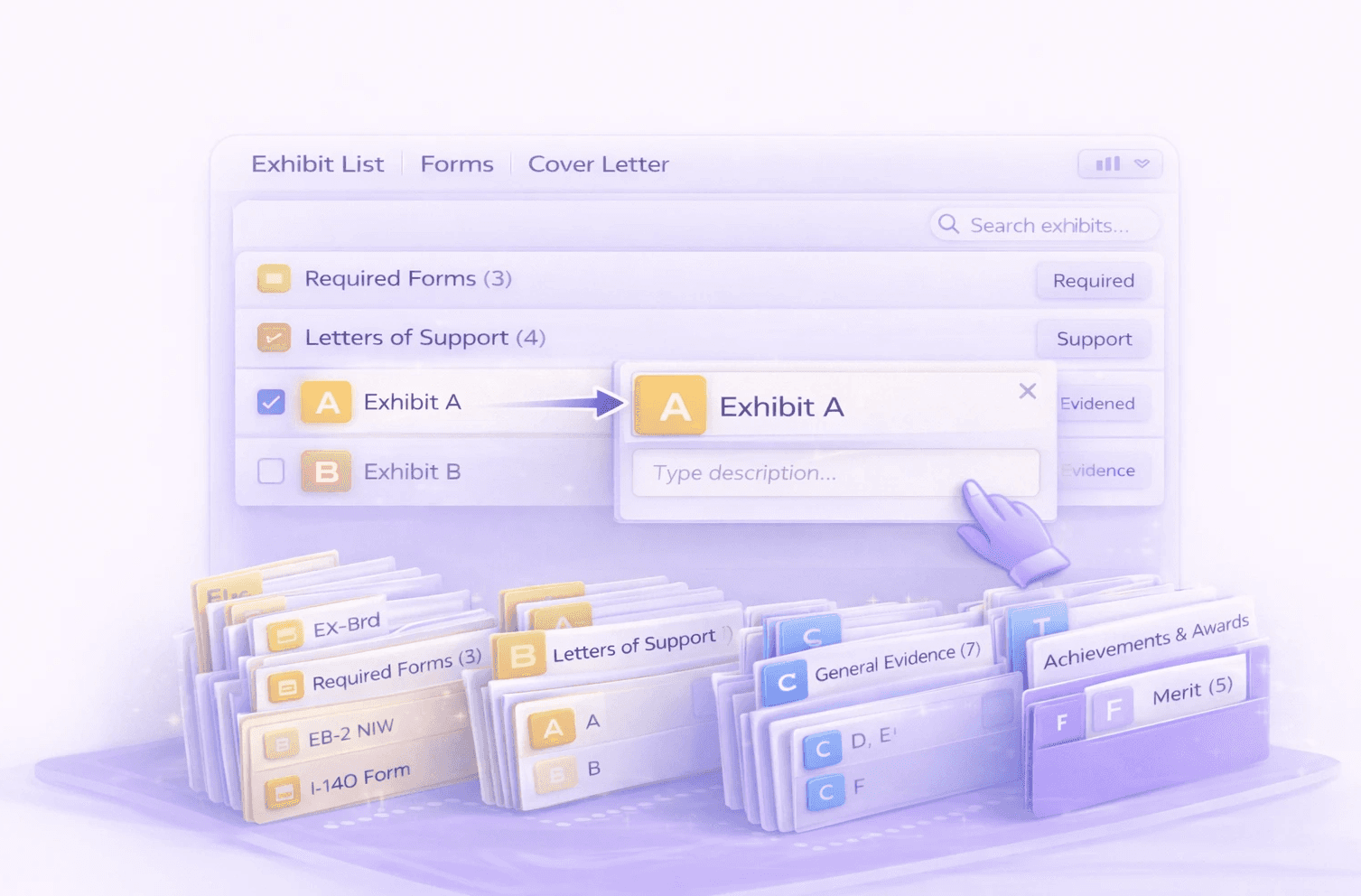
Click "Generate Exhibits" and the system organizes documents by visa criteria
Image
Image
Image
Image

Organize

Drag and drop to reorder exhibits, add labels and descriptions

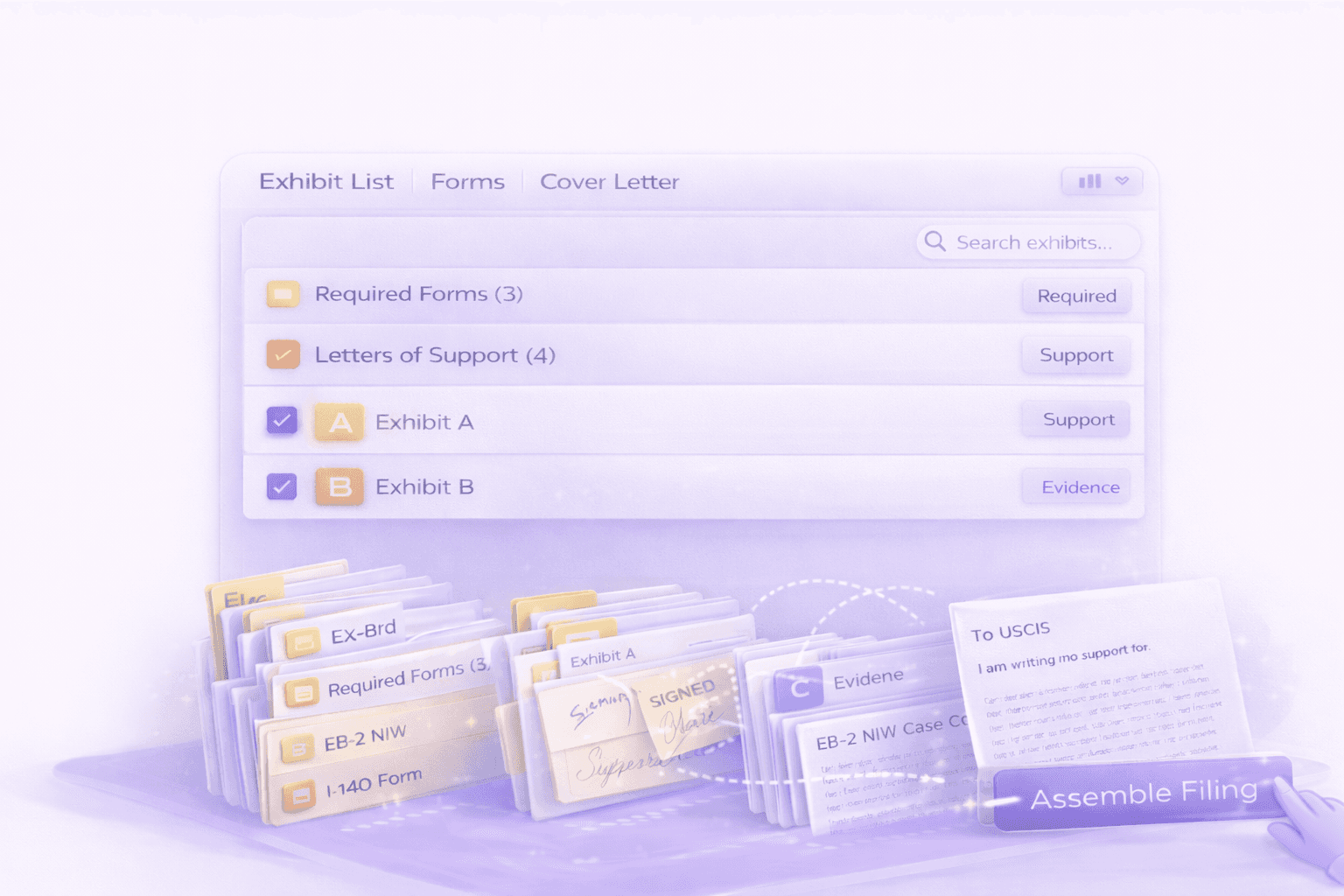
Assemble

Select which letters to include; signed pages auto-merge into forms
Image
Image
Image
Image

Export

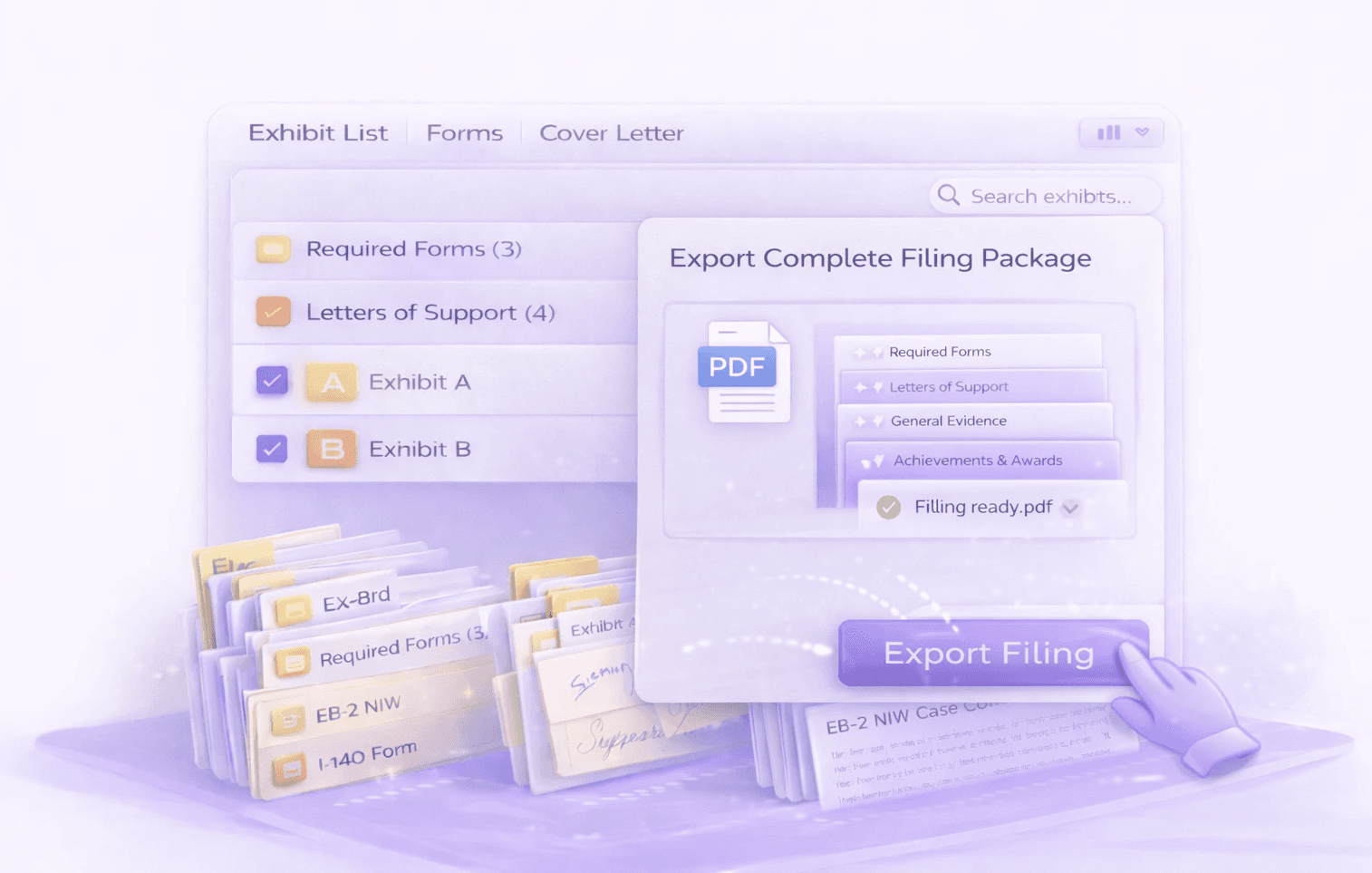
Download complete filing package as a single PDF with dividers

Feature Details

Feature Details

Exhibit Organization & Generation

Auto-generate labeled exhibits organized by visa criteria, reorder with drag-and-drop, and assemble a complete filing package in one click.
One-Click Exhibit Generation

Exhibit Labels and Descriptions

Drag and Drop Reordering

Exhibit List Generation

Auto-Numbering in Letters

Final Package Assembly

One-Click Exhibit Generation

Exhibit Labels and Descriptions

Drag and Drop Reordering

Exhibit List Generation

Auto-Numbering in Letters

Final Package Assembly

Assembly Order Control

Control the sequence of everything in your final package using drag and drop in each section.

Where You Control Order
  • Forms section: Reorder forms

  • Exhibits section: Reorder exhibits and sub-exhibits

  • Final Assembly: Reorder the cover letter, exhibit list, attorney letter relative to each other

Export Options

Signature Merging

Filing Workflow

Automatic Case Status Tracking

Assembly Order Control

Control the sequence of everything in your final package using drag and drop in each section.

Where You Control Order
  • Forms section: Reorder forms

  • Exhibits section: Reorder exhibits and sub-exhibits

  • Final Assembly: Reorder the cover letter, exhibit list, attorney letter relative to each other

Export Options

Signature Merging

Filing Workflow

Automatic Case Status Tracking

Filing & Tracking

Control document sequencing, merge signatures, export filing-ready packages, and automatically track case status through submission.

Connects to Your Entire Workflow

Case Assembly brings together everything you've built throughout the case.

Connects To

How

Documents

Approved documents become exhibits in the final package

Forms

Completed forms with signatures are included automatically

AI Drafting

Cover letters and attorney letters are added to the package

Client Portal

Clients see case status updates through their portal

Why LegalBridge?

With LegalBridge

One-click exhibit generation by visa criteria

One-click exhibit generation by visa criteria

Drag and drop with automatic renumbering

Drag and drop with automatic renumbering

Auto-numbering syncs across all documents

Auto-numbering syncs across all documents

Upload signed pages and they merge automatically

Upload signed pages and they merge automatically

Dividers generated automatically in export

Dividers generated automatically in export

Daily automatic checks with email notifications

Daily automatic checks with email notifications

Without LegalBridge

Manually organizing 100+ documents into exhibits

Manually organizing 100+ documents into exhibits

Renumbering exhibits when order changes

Renumbering exhibits when order changes

Updating exhibit numbers in letters manually

Updating exhibit numbers in letters manually

Merging signed pages in PDF editor

Merging signed pages in PDF editor

Creating dividers manually in Word

Creating dividers manually in Word

Checking USCIS website for case updates

Checking USCIS website for case updates

Security & Compliance

SOC 2 compliance

Type I and Type II certification in progress

SOC 2 compliance

Type I and Type II certification in progress

Data encryption

All data encrypted on AWS servers

Data encryption

All data encrypted on AWS servers

Expert insights

Available for law firms to enable for their team

Expert insights

Available for law firms to enable for their team

FAQs

FAQs

We’ve Got the Answers You’re Looking For

Quick answers to your questions.

How does AI drafting learn my firm's writing style?

How much time does AI drafting actually save?

What's included in exhibit assembly automation?

What's the typical ROI timeline?

What security measures protect client information?

Can I use the platform for both USCIS filings and consular processing?

Does the platform work for international clients?

What visa categories does the platform support?

Does LegalBridge integrate with accounting or time tracking systems?

How do I create multiple applications for the same client (e.g., N-600K for each child)?

How does AI drafting learn my firm's writing style?

How much time does AI drafting actually save?

What's included in exhibit assembly automation?

What's the typical ROI timeline?

What security measures protect client information?

Can I use the platform for both USCIS filings and consular processing?

Does the platform work for international clients?

What visa categories does the platform support?

Does LegalBridge integrate with accounting or time tracking systems?

How do I create multiple applications for the same client (e.g., N-600K for each child)?