Document Management: Collect, Organize, and Understand Every Document

Document Management: Collect, Organize, and Understand Every Document

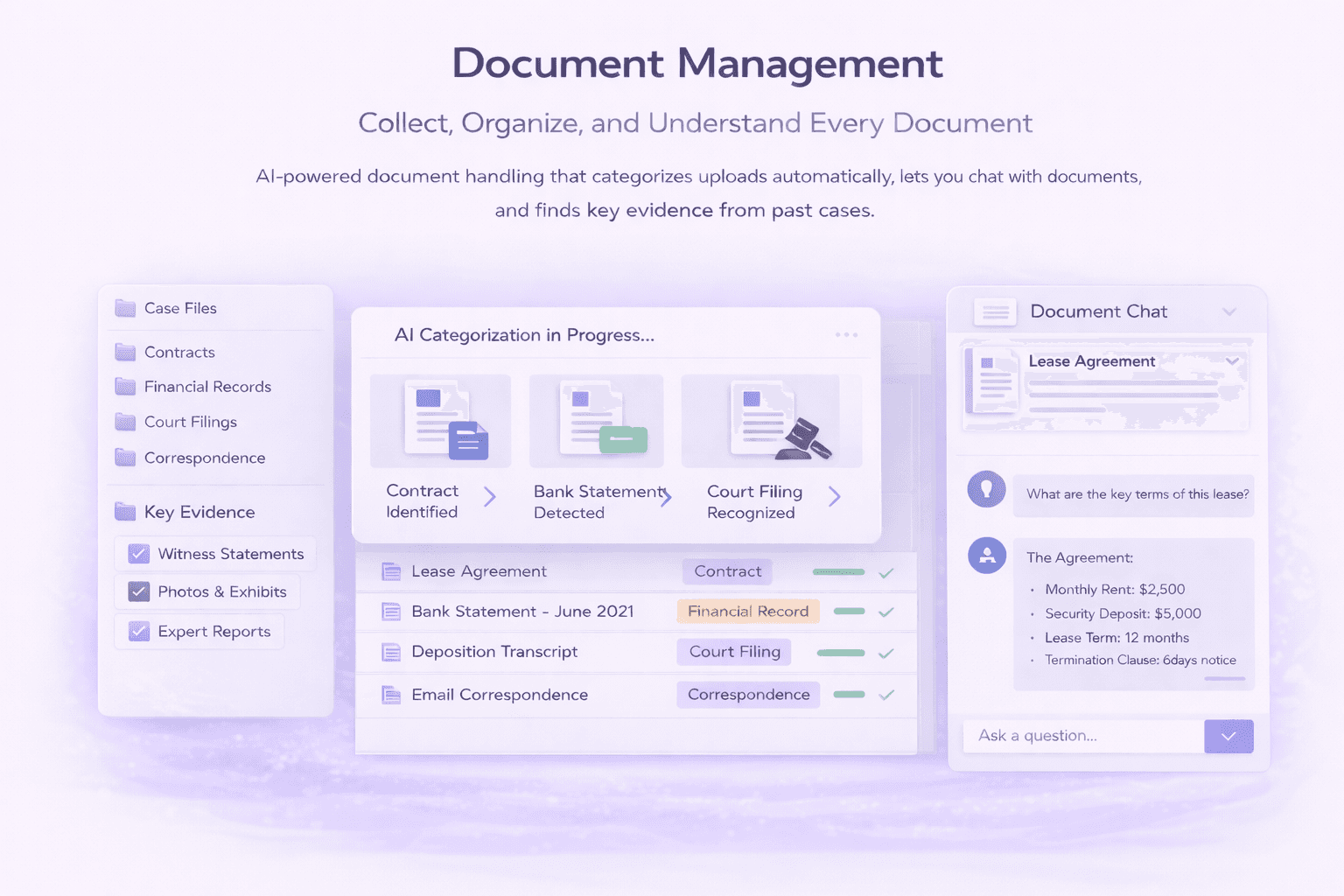
AI-powered document handling that categorizes uploads automatically.
Problem

Immigration cases live and die by documentation. But managing hundreds of documents across dozens of categories is painful. Files come in via email, get saved to random folders, and nobody knows what's been collected or what's still missing.

LegalBridge makes document chaos manageable. AI categorizes everything automatically, full-text search finds anything instantly, and you can even ask questions about your documents in plain English.

How It Works
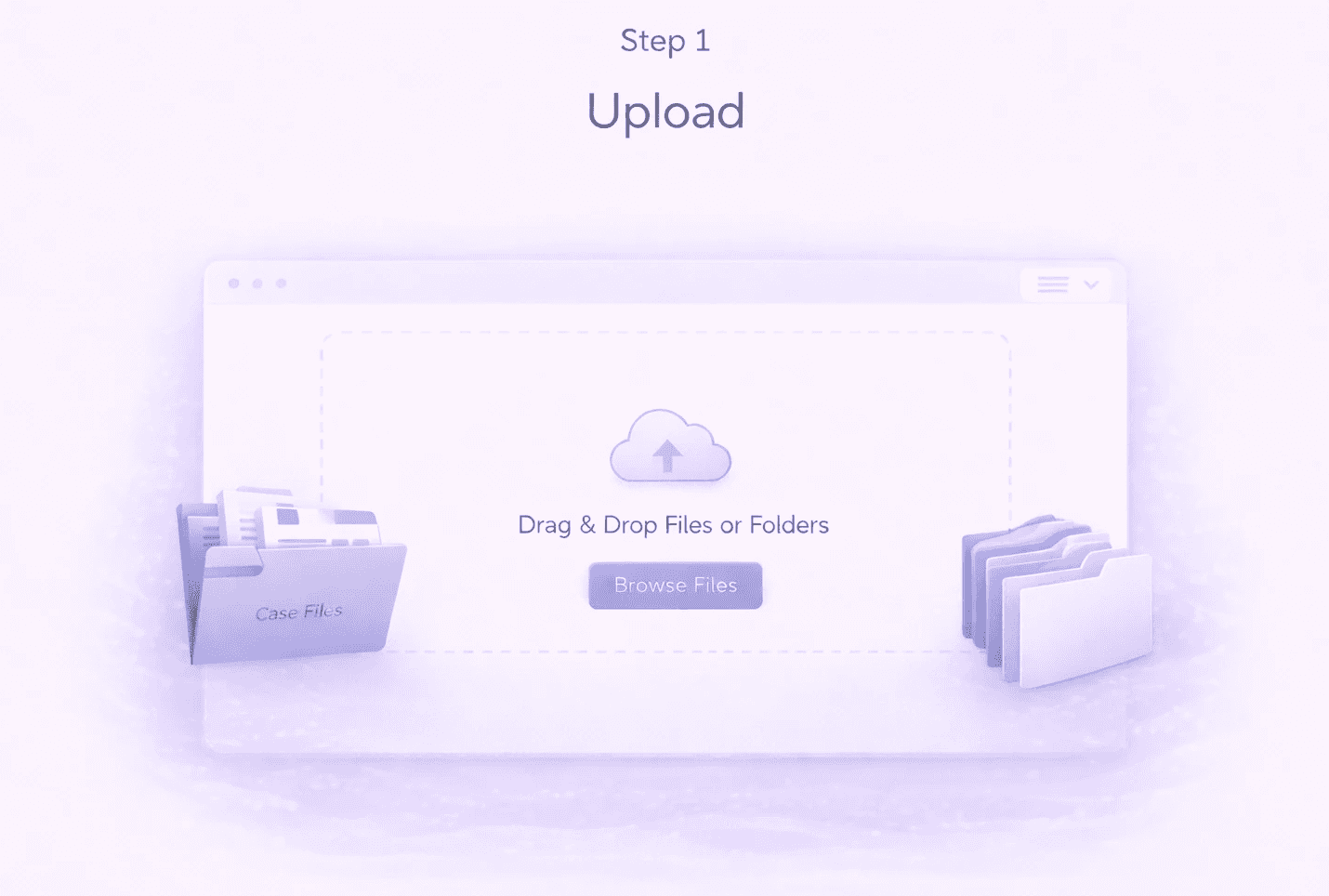
Upload

Drop individual files or entire folders; clients upload through their portal
Image
Image
Image
Image

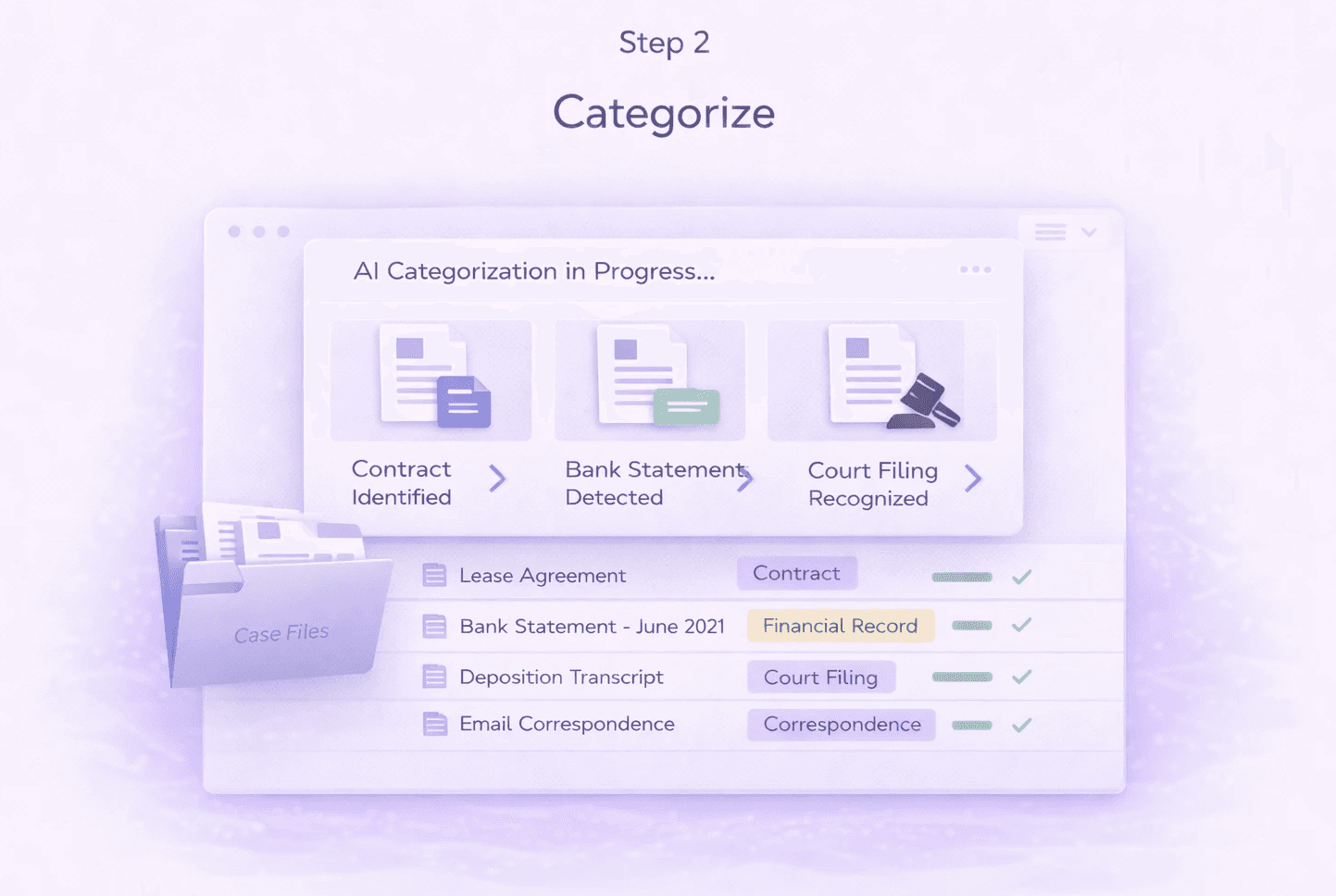
Categorize

AI automatically identifies document types and places them in the right checklist categories
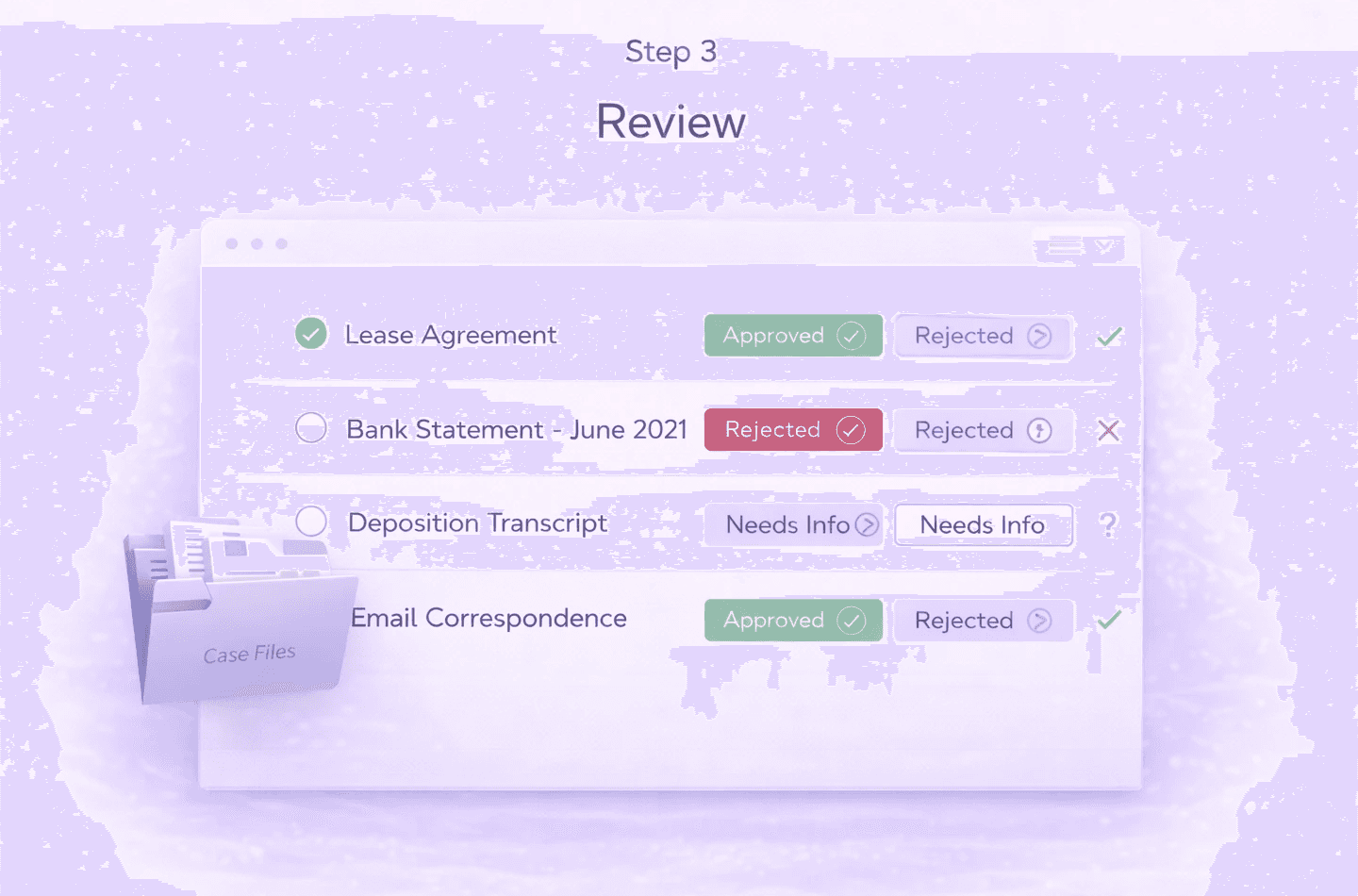
Review

Preview documents, approve or reject, move between categories as needed
Image
Image
Image
Image

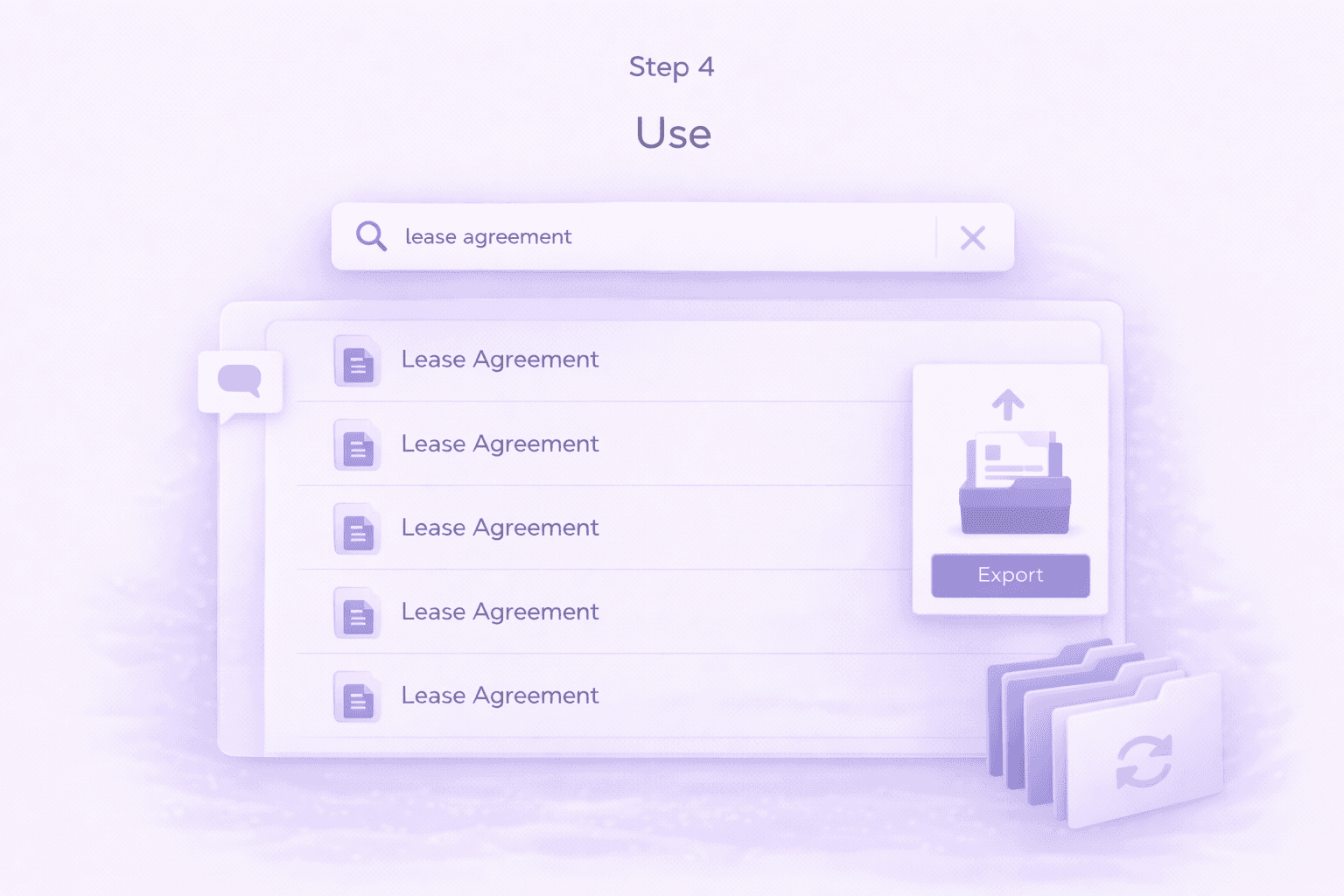
Use

Search, chat with documents, export for filing, or reuse in future cases

Feature Details

Feature Details

Upload & Organization

Upload documents flexibly, auto-categorize with AI, search instantly, chat with your documents, and track collection via checklists.
Flexible Upload Options

AI-Powered Categorization

Built-In Document Tools

Organization & Search

Chat with Documents

Checklist Integration

Flexible Upload Options

AI-Powered Categorization

Built-In Document Tools

Organization & Search

Chat with Documents

Checklist Integration

Duplicate Detection

When multiple copies of the same document get uploaded, the system identifies them so you can clean up or consolidate.

Options
  • Identify duplicates: System flags when the same document appears multiple times

  • Delete: Remove the duplicate

  • Merge: Combine duplicate entries into one

Packet Splitter

Reuse Documents from Past Cases

Download & Export

Duplicate Detection

When multiple copies of the same document get uploaded, the system identifies them so you can clean up or consolidate.

Options
  • Identify duplicates: System flags when the same document appears multiple times

  • Delete: Remove the duplicate

  • Merge: Combine duplicate entries into one

Packet Splitter

Reuse Documents from Past Cases

Download & Export

Cleanup & Reuse

Detect and merge duplicates, reuse evidence from past cases, split document packets, and export organized files.

Connects to Your Entire Workflow

Documents flow through every part of case preparation.

Connects To

How

Client Portal

Client uploads flow directly into case document folders

AI Evaluation

Advanced evaluation analyzes documents to assess case strength

AI Drafting

Documents inform cover letters and recommendation letter drafts

Exhibits

Approved documents become exhibits in the final filing package

Final Package

Export organized documents for submission

Why LegalBridge?

With LegalBridge

AI categorizes documents automatically

AI categorizes documents automatically

Full-text search finds content inside documents

Full-text search finds content inside documents

Ask AI questions about document content

Ask AI questions about document content

Packet Splitter identifies reusable documents instantly

Packet Splitter identifies reusable documents instantly

Built-in tools for split, merge, and append

Built-in tools for split, merge, and append

Without LegalBridge

Manually sorting documents into folders

Manually sorting documents into folders

Searching file names to find documents

Searching file names to find documents

Reading through documents to understand them

Reading through documents to understand them

Manually reviewing old packages for renewals

Manually reviewing old packages for renewals

Using separate PDF tools for merge/split

Using separate PDF tools for merge/split

Security & Compliance

SOC 2 compliance

Type I and Type II certification in progress

SOC 2 compliance

Type I and Type II certification in progress

Data encryption

All data encrypted on AWS servers

Data encryption

All data encrypted on AWS servers

Expert insights

Available for law firms to enable for their team

Expert insights

Available for law firms to enable for their team

FAQs

FAQs

We’ve Got the Answers You’re Looking For

Quick answers to your questions.

How does AI drafting learn my firm's writing style?

How much time does AI drafting actually save?

What's included in exhibit assembly automation?

What's the typical ROI timeline?

What security measures protect client information?

Can I use the platform for both USCIS filings and consular processing?

Does the platform work for international clients?

What visa categories does the platform support?

Does LegalBridge integrate with accounting or time tracking systems?

How do I create multiple applications for the same client (e.g., N-600K for each child)?

How does AI drafting learn my firm's writing style?

How much time does AI drafting actually save?

What's included in exhibit assembly automation?

What's the typical ROI timeline?

What security measures protect client information?

Can I use the platform for both USCIS filings and consular processing?

Does the platform work for international clients?

What visa categories does the platform support?

Does LegalBridge integrate with accounting or time tracking systems?

How do I create multiple applications for the same client (e.g., N-600K for each child)?